Game Day SVG - Stacked Font: Maximizing Your Digital Design Purchase
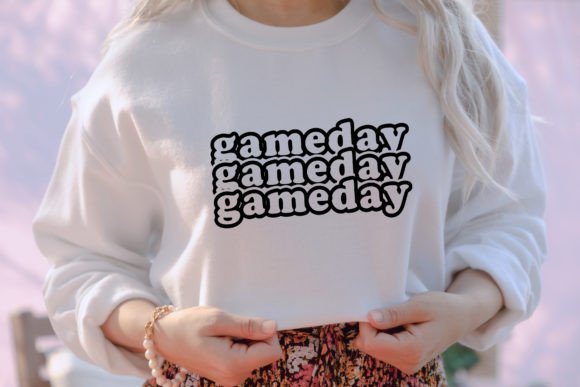
Few design elements capture the energy of sports culture quite like bold, collegiate-style typography. The Game Day SVG - Stacked Font offers a classic aesthetic that appeals to crafters, small business owners, and DIY enthusiasts looking to create custom apparel, signage, or digital content. This specific design features a vertically arranged lettering style that mimics traditional university athletics branding, making it an instant favorite for tailgate gear, team mom shirts, and fan merchandise. However, because this is a digital asset rather than a physical product, success depends entirely on understanding file formats, software compatibility, and licensing before you begin your project.
Many creators rush through the checkout process, assuming all digital downloads work identically across every platform. This assumption often leads to frustration when files do not open as expected or when cut lines appear incorrectly in crafting software. By taking a moment to understand exactly what is included in this instant download package and how to utilize each file type properly, you can avoid common pitfalls and ensure your game day creations look professional from the first cut to the final press.
Understanding the Instant Download Package Contents
When you purchase the Game Day SVG - Stacked Font, you are receiving a ZIP folder containing three distinct digital files. Recognizing the purpose of each file prevents the most frequent error: trying to use the wrong format for your specific machine or project. The package includes one SVG file, one PNG file at 300 DPI, and one PDF file. Each serves a unique function in the design workflow.
The SVG file is a scalable vector graphic designed specifically for cutting machines and vector editing software. Because it is mathematically defined, it can be resized infinitely without losing quality or becoming pixelated. This is the file you need for Cricut Design Space, Silhouette Designer Edition, Adobe Illustrator, or Inkscape. The PNG file is a high-resolution raster image with a transparent background. At 300 DPI, it is print-ready and ideal for sublimation, direct-to-garment printing, or digital mockups where cutting is not required. The PDF file serves as a ready-to-print document, useful for paper crafts, posters, or verifying the design's appearance before committing to vinyl or fabric.
Critical Software Compatibility Warnings
The single most significant issue buyers face with stacked font designs involves Silhouette Studio compatibility. It is vital to understand that the Basic (free) Edition of Silhouette Studio does not accept SVG files. If you own a Silhouette Cameo or Portrait and use the free software, you cannot import the SVG version of this Game Day design directly. Attempting to do so will result in an error message or an inability to open the file, leading many to believe the download is defective when it is actually a software limitation.
To use SVGs with Silhouette machines, you must have the Designer Edition, Designer Edition Plus, or Business Edition. If you only have the Basic Edition, you should utilize the PNG file instead. While PNGs are raster images and do not have native cut lines, Silhouette Basic allows you to trace high-contrast images to create cut paths. Alternatively, consider upgrading your software if you plan to purchase multiple SVG designs in the future. For Cricut users, the SVG file uploads natively to Design Space without additional software purchases, making it the preferred format for that ecosystem.
Avoiding Layering and Welding Mistakes
Stacked fonts present a unique challenge compared to standard horizontal text. Because the letters are arranged vertically and often overlap or share spacing boundaries, they may upload to cutting software as separate layers rather than a single cohesive design. If your Game Day SVG appears disjointed or cuts each letter individually with excess waste material, the layers likely need to be grouped or welded.
Before sending the design to your cutter, select all elements of the stacked font and use the "Weld," "Attach," or "Combine" function in your software. This tells the machine to treat the entire wordmark as one continuous shape. Failing to weld stacked typography can result in misaligned transfers, especially when applying heat transfer vinyl to curved surfaces like tumblers or sleeves. Always perform a test cut on scrap material to verify that the stacking alignment remains intact after welding, as some software versions may shift elements slightly during the merge process.
Evaluating Quality Before Committing to Production
Since no physical product is shipped and there are no shipping fees, the value of this purchase lies entirely in the digital file quality. Before buying, verify that the listing explicitly states the PNG is 300 DPI. Lower resolution files may appear crisp on screen but produce blurry edges when printed at larger sizes for banners or adult-sized sweatshirts. The Game Day SVG - Stacked Font should maintain sharp, clean edges regardless of scale; if preview images show jagged lines or uneven spacing, seek an alternative source.
Additionally, check the node count of the SVG if possible. Poorly digitized stacked fonts sometimes contain excessive anchor points, which causes cutting machines to stutter, pause, or produce rough edges. High-quality vectors have smooth curves with minimal nodes. While you cannot always inspect nodes before purchase, reading reviews that mention "clean cuts" or "smooth weeding" provides reliable social proof of file integrity. Investing thirty seconds in review research saves hours of weeding frustration later.
Licensing and Commercial Use Considerations
Another overlooked detail involves usage rights. Just because a file is instantly downloadable does not mean it carries unlimited commercial permissions. Many Game Day SVG designs allow personal use only, while others permit small business sales up to a certain quantity. Before creating products for sale—such as Etsy listings for custom game day tees or local boutique inventory—confirm the license terms included in the ZIP folder or stated in the product description.
Using a personal-use-only file for commercial products exposes your business to copyright infringement risks. Conversely, purchasing a commercial license when you only need personal use wastes budget. Match your intended application with the appropriate license tier. If the listing does not clearly state commercial terms, contact the seller before purchasing. Reputable digital designers respond quickly to licensing questions and appreciate buyers who respect intellectual property boundaries.
Practical Tips for Successful Application
Once you have confirmed compatibility and secured the correct files, proper application techniques ensure professional results. When using the PNG for sublimation, mirror the image horizontally before printing, as the transfer process reverses the design. For vinyl applications using the SVG, remember that stacked fonts often have intricate interior spaces. Use a sharp blade and appropriate pressure settings to ensure clean weeding of small counters within letters like A, B, D, and O.
If you are new to working with stacked typography, practice with the PDF file first. Print it at actual size to visualize proportions on your intended substrate. This low-cost test reveals whether the vertical arrangement suits your garment placement or sign dimensions before consuming expensive vinyl or sublimation ink. Digital assets offer tremendous creative freedom, but thoughtful preparation transforms a simple download into a polished, professional creation that truly celebrates game day spirit.