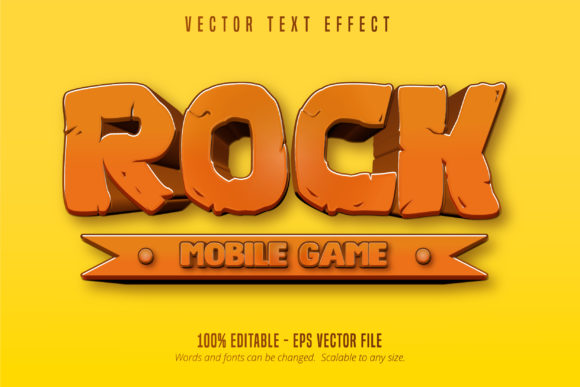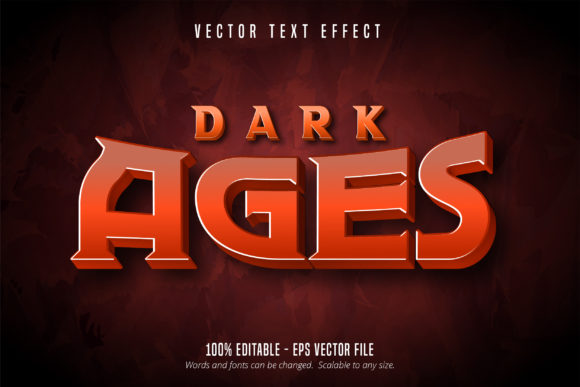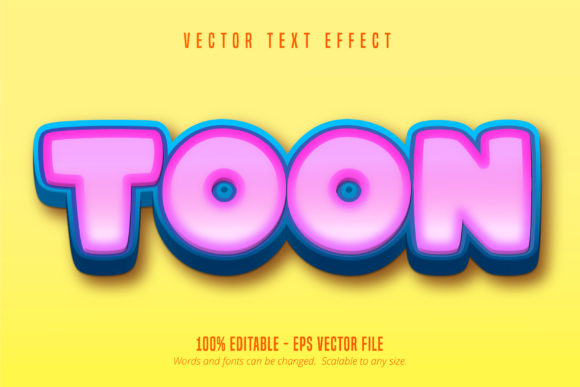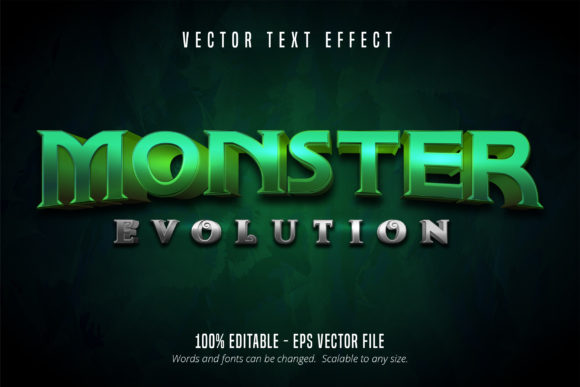
Game Style Editable Text Effect - Monster: Bringing RPG Aesthetics to Your Design Projects
When you are designing for a gaming audience or trying to capture that specific nostalgic energy of retro RPGs, standard typography often falls flat. You might find yourself spending hours manually adding bevels, embossing, and outer glows to text layers, only to realize the spacing looks off or the effect doesn't scale correctly when the client asks for a larger banner. This is where the Game Style Editable Text Effect - Monster changes the workflow entirely. It is crucial to understand right away that this is not a font file you install into your system folder. Instead, it is a specialized Adobe Illustrator effect template provided in an EPS CS6 format. This distinction matters because it preserves complex layer styles and vector shapes that standard typefaces simply cannot contain.
The primary value here lies in the "monster evolution" aesthetic. The text treatment mimics the visual language of creature stats, evolution screens, and battle menus found in classic and modern monster-catching games. Because the file is 100% editable and scalable, you retain the crispness of vector art whether you are creating a small social media icon or a massive convention backdrop. For designers aged 20 to 50 who grew up with these games or now design for communities that cherish them, this tool bridges the gap between authentic nostalgia and professional production efficiency.
Real-World Applications Beyond Game Covers
While the obvious use case is game packaging or fan art, the practical utility of this editable text effect extends much further into commercial and personal projects. The "Monster" style communicates progression, power, and playfulness, which can be leveraged in unexpected industries.
Esports and Streaming Branding
Streamers and esports teams constantly need fresh assets for overlays, donation alerts, and merchandise. A static PNG logo loses its impact after a few months. With this Illustrator-based effect, a content creator can update their channel name, add seasonal modifiers like "Halloween" or "Championship," or create tiered subscription badges without hiring a designer for every iteration. The ability to edit the text directly means a streamer can maintain brand consistency across hundreds of unique thumbnails while keeping that high-energy, gamified look that retains viewer attention.
Gamified Education and Corporate Training
Corporate training modules and educational platforms are increasingly adopting gamification to boost engagement. However, using generic corporate fonts for a "Level Up" certificate or a "Skill Unlocked" notification creates cognitive dissonance. Applying this monster-evolution text effect to achievement badges or module titles instantly signals to the user that they are in a reward loop. It transforms dry compliance training or language learning apps into experiences that feel tactile and rewarding. Since the effect is vector-based, it integrates seamlessly into both web interfaces and printed training manuals without pixelation.
Event Marketing and Conventions
Organizers for comic cons, gaming expos, and even tech hackathons often struggle with signage that feels energetic but remains legible from a distance. The bold, stylized nature of this text effect provides excellent contrast and hierarchy. When designing wayfinding signs or schedule boards, the "monster" aesthetic acts as a visual anchor. Attendees recognize the style immediately as part of the event's theme. Because the EPS CS6 file is fully scalable, a designer can create a master layout and resize the text elements for everything from lanyards to building wraps without losing edge definition or color fidelity.
Navigating the Technical Workflow
Understanding how to interact with this asset prevents frustration during tight deadlines. Since this is an effect and not a font, your interaction with it differs from typing in a text box. In Adobe Illustrator, you will typically use the Appearance panel or specific graphic styles to apply the effect to your own chosen typeface. This flexibility is actually a strength; you aren't locked into a single alphabet set. You can pair the monster effect with a clean sans-serif for readability or a jagged display font for maximum aggression.
The EPS CS6 compatibility ensures broad usability. Even if you are running the latest version of Creative Cloud, this legacy format opens reliably and maintains the integrity of the gradient meshes and transparency effects that define the style. However, users should be aware that older versions of Illustrator prior to CS6 might interpret some blending modes differently. Always check your layers panel upon opening to ensure all sub-layers are intact. The "100% editable" claim means you can change colors, adjust bevel depths, and swap textures, but it requires a basic comfort level with Illustrator’s Appearance panel. If you are used to simple point-and-click templates in Canva or Photoshop, take five minutes to familiarize yourself with how AI handles live effects to avoid accidentally rasterizing your text.
Design Considerations and Best Practices
Just because an effect is available doesn't mean it fits every context. The Monster evolution style is inherently loud. It carries visual weight and demands attention. When integrating this into a broader design system, consider the negative space around the text. Crowding this effect against other busy illustrations or complex backgrounds will reduce legibility and diminish the impact. Give the text room to breathe so the bevels and shadows can do their work.
Color theory also plays a significant role in how this effect is perceived. The default styling likely leans toward traditional RPG palettes—golds, reds, and metallic blues. However, the editability allows for complete recoloring. For a horror-themed game jam, shifting the palette to desaturated greens and blacks changes the emotional tone while keeping the structural recognition of the monster genre. For a children’s coding camp, bright pastels and softer gradients make the style approachable rather than intimidating. Always test your color variations at the final output size; certain gradients that look smooth on a 24-inch monitor may band or appear muddy when printed on matte paper at business card size.
Evaluating Fit for Your Specific Needs
Before committing to this asset for a long-term project, assess the longevity of the aesthetic. Trends in gaming UI evolve rapidly. While the monster-evolution look is currently enjoying a resurgence due to remakes and indie revivals, it is distinctly stylized. If you are building a brand identity intended to last a decade, consider using this effect as a campaign-specific element rather than the primary logotype. It works exceptionally well for limited-time events, seasonal updates, or specific product lines within a larger ecosystem.
Additionally, consider your audience's age and cultural touchpoints. For millennials and Gen Z, this style triggers immediate positive associations with childhood gaming and achievement. For older demographics or non-gaming audiences, it may simply read as "cartoonish" or "aggressive." Align the intensity of the effect with the sophistication of your target market. The beauty of a fully editable vector effect is that you can dial the intensity up or down. Subtle adjustments to the inner glow or reducing the stroke width can make the difference between a hardcore dungeon crawler vibe and a friendly mobile puzzle game aesthetic.
Ultimately, the Game Style Editable Text Effect - Monster serves as a powerful shortcut for achieving a high-fidelity, niche aesthetic without the technical debt of building it from scratch. It respects the designer's time by providing a robust foundation while offering enough flexibility to ensure the final result feels custom-tailored to the project. Whether you are enhancing a Twitch overlay, spicing up an educational app, or creating merch for a local tournament, this tool provides the specific visual vocabulary needed to resonate with a gaming-literate audience. By treating it as a dynamic component of your design toolkit rather than a static decoration, you unlock consistent, professional results that scale effortlessly alongside your creative ambitions.