Mobile Game Style Editable Text Effect Guide
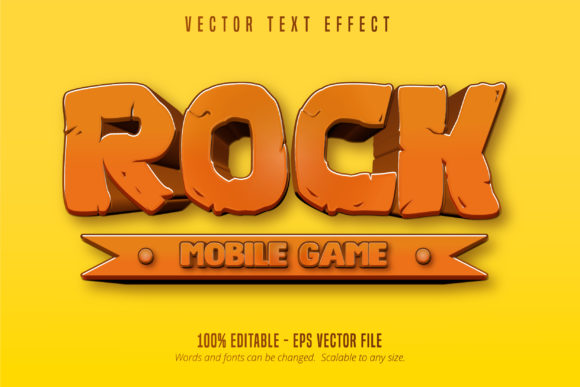
Capturing the vibrant, high-energy aesthetic of modern mobile gaming requires more than just selecting a bold typeface. It demands depth, texture, and a sense of interactive play that static fonts simply cannot provide. The Mobile Game Style Editable Text Effect bridges this gap for designers and content creators who need professional-grade game typography without spending hours building custom lettering from scratch. This resource is specifically engineered as a font effect for Adobe Illustrator, distinguishing it from standard font files. By utilizing an EPS CS6 file format, it ensures broad compatibility while maintaining 100% editability, allowing you to scale designs to any size without losing crispness or detail.
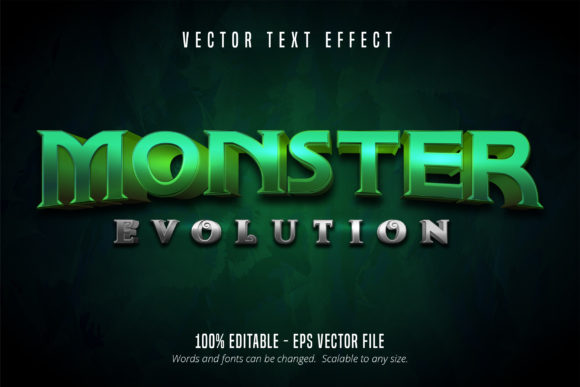
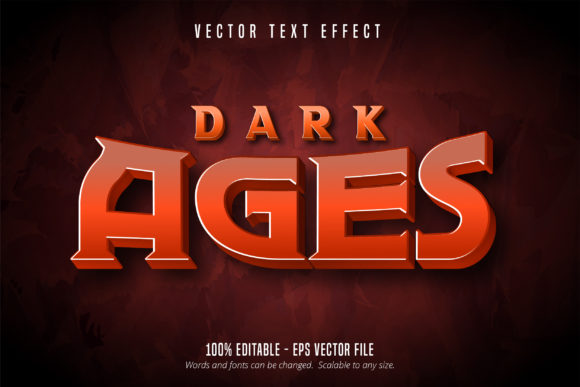
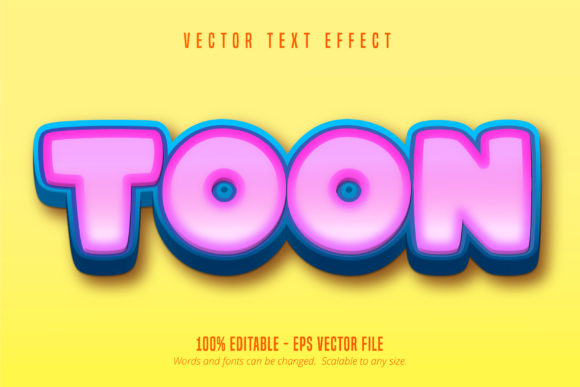
Understanding the distinction between a font and a text effect is crucial for maximizing this tool. A traditional font applies a uniform shape to characters. In contrast, this cartoon game style editable text effect applies complex layer styles, bevels, strokes, and shadows dynamically. When you type your message, the software constructs the visual treatment around your specific wording. This means the "rock" texture or the bubbly cartoon outline adapts perfectly to your unique copy, whether it is a three-letter power-up label or a lengthy promotional headline. The result is bespoke typography that retains the consistency of a branded asset library while offering the flexibility of live text.
Elevating Mobile App Store Assets
For app developers and marketers, the first point of contact with a potential user is often the store listing icon or feature graphic. These assets compete in a densely packed visual environment where clarity and appeal are paramount. Using a Mobile Game Style Editable Text Effect allows you to create headers that feel native to the gaming ecosystem. The rock-style variations work exceptionally well for adventure, puzzle, or strategy games, conveying durability and tactile satisfaction. Conversely, softer cartoon iterations suit casual, educational, or family-friendly titles.
Because these effects are scalable vectors, you can design a single master composition and resize it for multiple platform requirements without pixelation. This is vital for maintaining brand consistency across iOS and Android stores, which have different dimension specifications. Instead of rasterizing text early in the process, keep your layers live. This permits rapid A/B testing of different headlines or seasonal updates. If your marketing strategy shifts from "Epic Rock Battle" to "Cartoon Quest," you can adjust the underlying text effect instantly rather than redesigning the entire graphic.
Social Media and Community Engagement
Game promotion extends far beyond the app store. Content creators, streamers, and community managers require a steady stream of engaging visuals for platforms like Instagram, TikTok, Discord, and YouTube. The cartoon game style editable text effect serves as a powerful template for thumbnails, announcement cards, and stream overlays. Visual consistency builds recognition; when your audience sees that specific glossy, extruded text style, they immediately associate it with your brand or channel.
Practical application here involves speed and variation. Since the file is very easy to edit, you can batch-produce content for a month-long campaign in a single session. Create a base layout with the text effect, then duplicate the artboard to swap out copy for different updates, patch notes, or event teasers. The vector nature of the EPS CS6 format also means these graphics look sharp on high-density mobile screens and large desktop monitors alike. For educators or hobbyists creating tutorial content, this style adds a layer of professional polish that helps retain viewer attention without requiring advanced illustration skills.
Customization Strategies for Unique Branding
While the preset styles are robust, the true value lies in adaptation. A common pitfall in game design is using popular assets without modification, leading to a generic look. To maintain originality, treat the Mobile Game Style Editable Text Effect as a foundation rather than a final product. Adobe Illustrator’s Appearance panel is your primary workspace here. You can tweak the color gradients, adjust the bevel depth, or modify the stroke width to better align with your specific color palette.
Consider combining the text effect with custom background elements or character illustrations to ground it in your specific world. If you are using the rock style, add subtle cracks or moss overlays manually to differentiate it from the stock version. For cartoon styles, experiment with altering the highlight angles to match the lighting direction of your accompanying artwork. These small adjustments signal to the audience that the design was crafted intentionally for them, enhancing the perceived quality of the game or product.
- Color Harmony: Sample colors directly from your game sprites or UI kits to ensure the text effect feels integrated rather than pasted on.
- Weight Adjustment: Not all messages carry equal importance. Use the editable nature of the effect to create hierarchy by scaling down secondary text or simplifying the effect for body copy.
- Texture Overlay: Apply a global noise or grain texture over the final export to unify the vector text with rasterized game assets.
- Contextual Scaling: Remember that mobile screens are small. Test your text effect at actual device size to ensure readability isn't compromised by excessive decorative details.
Technical Best Practices for Vector Typography
Working with EPS CS6 files in modern versions of Adobe Illustrator is generally seamless, but maintaining file hygiene ensures long-term usability. Always save a master copy with live text and effects intact. Only outline or expand the text when exporting final production assets. Outlining converts the editable type into static shapes, making future corrections impossible without starting over. This discipline is especially important for freelancers and agencies handing off files to clients; providing the live, editable source file adds significant value and reduces future revision costs.
Scalability is a key advantage, but it requires mindful composition. While the text can be scaled infinitely, the proportions of the effect remain relative. Extremely long words may cause the bevels or outlines to overlap awkwardly. Utilize OpenType features or manual kerning to optimize spacing before applying the effect. If a specific word breaks the visual flow, consider breaking it into two lines or using a condensed font variant within the same effect style. The goal is legibility first, decoration second. Effective game typography guides the player’s eye; it never obstructs it.
Broadening Creative Applications Beyond Gaming
Although labeled as a mobile game style, the utility of this text effect transcends the gaming industry. Entrepreneurs and small business owners in entertainment, education, and youth-focused markets can leverage this aesthetic to communicate fun and accessibility. A children’s book publisher might use the cartoon variation for cover titles to signal age-appropriate content. An event organizer could adapt the rock style for a music festival poster to convey energy and grit. The association with mobile gaming implies interactivity and modernity, qualities that are increasingly desirable across diverse media formats.
For bloggers and publishers covering pop culture or tech, these text effects provide a way to break up dense articles with visually relevant subheaders. Instead of standard bold text, a stylized header acts as a visual anchor, improving scanability and dwell time. The key is restraint; use the effect for major section breaks or pull quotes rather than continuous reading text. This balances the playful aesthetic with the need for clear information delivery. By understanding the versatile nature of this editable vector resource, creators can solve communication challenges with efficiency and style, proving that practical design tools are essential partners in the creative process.