Classic Game 3D Text Effect for Creative Projects
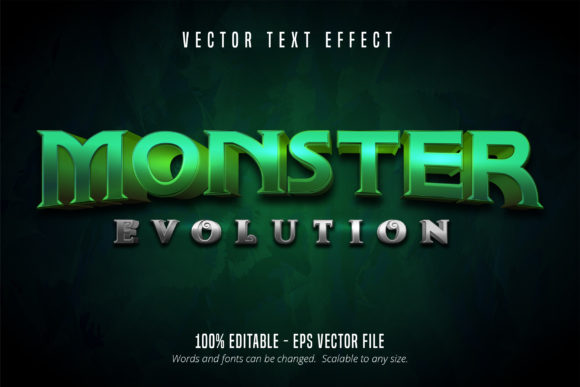
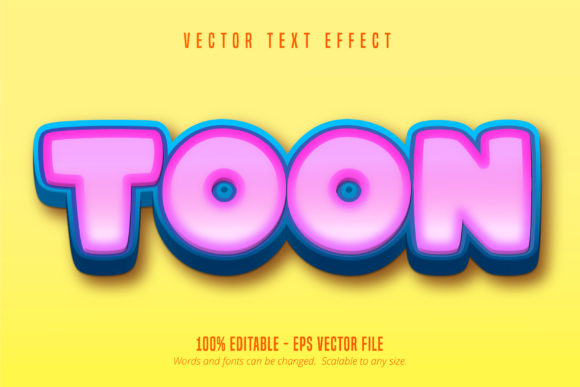
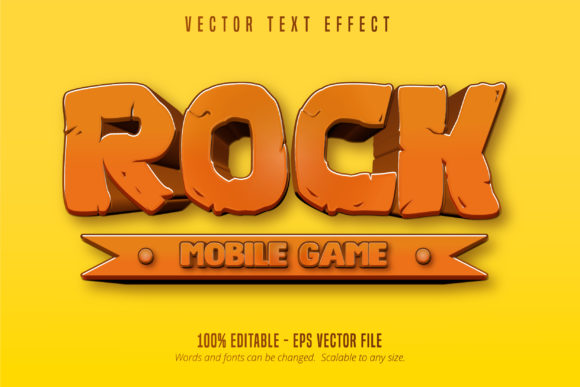
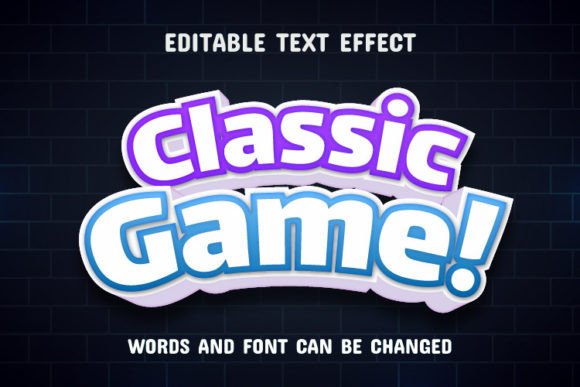
Retro aesthetics have made a massive comeback in modern design, bridging the gap between nostalgia and contemporary visual communication. The Classic Game 3D Text Effect offers a streamlined way to tap into this trend without requiring advanced 3D modeling skills or hours of manual shading. At its core, this resource is a pre-built vector template that transforms standard typography into vibrant, extruded lettering reminiscent of 8-bit and 16-bit console eras. It serves as an immediate solution for designers who need high-impact headlines but want to maintain the flexibility of editable text.
Unlike rasterized images where pixels distort when resized, this effect relies on scalable vector graphics. This means you can apply the style to a small social media icon or a massive billboard without losing clarity. The primary appeal lies in its "smart" functionality within Adobe Illustrator. You do not need to redraw shadows, highlights, or bevels manually. Instead, the file uses appearance attributes and clipping masks that automatically adapt to whatever words you type. If you change "GAME OVER" to "LEVEL UP," the lighting, depth, and color gradients adjust instantly to fit the new character shapes.
Why Editable Vector Effects Matter for Designers
For freelancers and agency professionals, time is often the most constrained resource. Creating authentic retro 3D type from scratch involves complex pathfinding, gradient mesh tools, and precise alignment. While valuable skills, these processes are inefficient for tight deadlines. A 100% editable asset like this shifts the workflow from construction to customization. You retain full creative control over the message while outsourcing the heavy lifting of the visual structure.
This level of editability also supports rapid iteration. Clients frequently request changes to copy after seeing a layout. With static 3D renders, a text change might require re-rendering an entire scene. With this EPS-based effect, you simply highlight the text layer, type the new phrase, and export. This agility makes it an invaluable tool for projects with evolving requirements, such as event branding, seasonal marketing campaigns, or A/B testing different headlines for digital ads.
Practical Applications Across Industries
The versatility of classic arcade styling extends far beyond gaming content. While it is naturally suited for video game reviews, stream overlays, and esports tournaments, its bold geometry works well in diverse commercial contexts. Small business owners often use this aesthetic to convey fun, energy, and approachability. A local burger joint might use it for a "Summer Sale" poster to evoke feelings of casual enjoyment. Similarly, educators and youth program coordinators utilize these effects to create engaging materials that resonate with younger audiences accustomed to gamified interfaces.
- Merchandise Design: T-shirts, stickers, and enamel pins benefit from the clean lines and distinct color separation of vector 3D text, making screen printing and production easier.
- Digital Content Creation: YouTube thumbnails and podcast covers require instant readability at small sizes; the high contrast and depth of this effect ensure text pops against busy backgrounds.
- Event Branding: Music festivals, hackathons, and tech conferences often adopt retro-futuristic themes where this typography sets the appropriate tone.
- Social Media Marketing: Instagram stories and TikTok captions using dynamic 3D text tend to arrest scrolling behavior more effectively than flat typography.
Understanding the Technical Deliverables
When acquiring this type of design asset, understanding what you receive ensures a smooth workflow. The package includes EPS files, which serve as the master source. EPS (Encapsulated PostScript) is a universal vector format compatible with Adobe Illustrator CC and higher versions. This compatibility is crucial because newer versions of Illustrator handle appearance stacks and text engines more efficiently. Attempting to open complex smart effects in outdated software may result in expanded paths or missing features, rendering the text non-editable.
JPG preview files are also included. These serve two practical purposes: they allow you to verify the visual style before opening heavy vector files, and they provide a reference if you need to show a client a mockup before finalizing the editable version. However, remember that JPGs are for viewing only. All actual production work must occur within the EPS file to maintain scalability and editability. Always keep your original EPS master safe and export copies for specific outputs to preserve your ability to make future edits.
Creative Freedom Within Structured Styles
A common misconception about pre-made effects is that they limit originality. In reality, they provide a consistent foundation upon which unique expression can be built. Because the effect applies automatically, you are free to experiment with font pairings, color palettes, and composition without worrying about breaking the 3D illusion. Try combining the chunky 3D headline with a sleek sans-serif subhead to create visual hierarchy. Experiment with swapping the default neon colors for muted pastels to create a "vaporwave" variation, or use metallic gradients for a premium arcade feel.
The instruction "whatever you can imagine" is literal. Since the effect maps to live text, you can write anything from serious corporate slogans to playful inside jokes. The juxtaposition of a formal message rendered in a playful 3D style can create memorable irony or soften a brand's voice. This flexibility allows marketers and creators to express themselves authentically while leveraging professional-grade visuals. You are not locked into specific gaming terminology; the aesthetic is merely a vessel for your unique message.
Important Considerations Before Use
While this Classic Game 3D Text Effect is designed for ease of use, there are best practices to ensure optimal results. First, consider font selection. The effect is typically calibrated for bold, condensed, or display typefaces. Using thin or script fonts may cause overlapping geometry or illegible shadows. Stick to heavy weights to maximize the visibility of the 3D extrusion. Second, be mindful of text length. Extremely long sentences can become cluttered in 3D space. This style works best for short, punchy phrases of one to three words. For longer body copy, revert to standard flat typography to maintain readability.
Licensing is another critical factor. Whether you are a hobbyist or a commercial entrepreneur, always verify the usage rights associated with the download. Some assets permit personal use only, while others include commercial licenses for client work and merchandise. Ensuring you have the correct license protects your business and respects the creator's intellectual property. Finally, organize your layers. When customizing the effect, rename your text layers clearly. As projects grow in complexity, a well-organized file saves significant time during revisions and handoffs to other team members.
Ultimately, this resource bridges the gap between technical complexity and creative expression. It empowers users of all skill levels to produce professional, nostalgic, and eye-catching typography. By handling the intricate vector math behind the scenes, it frees you to focus on what matters most: crafting a compelling message that resonates with your audience. Whether you are designing a logo, a poster, or a digital campaign, the ability to instantly apply high-quality 3D styling transforms ordinary text into an extraordinary visual asset.